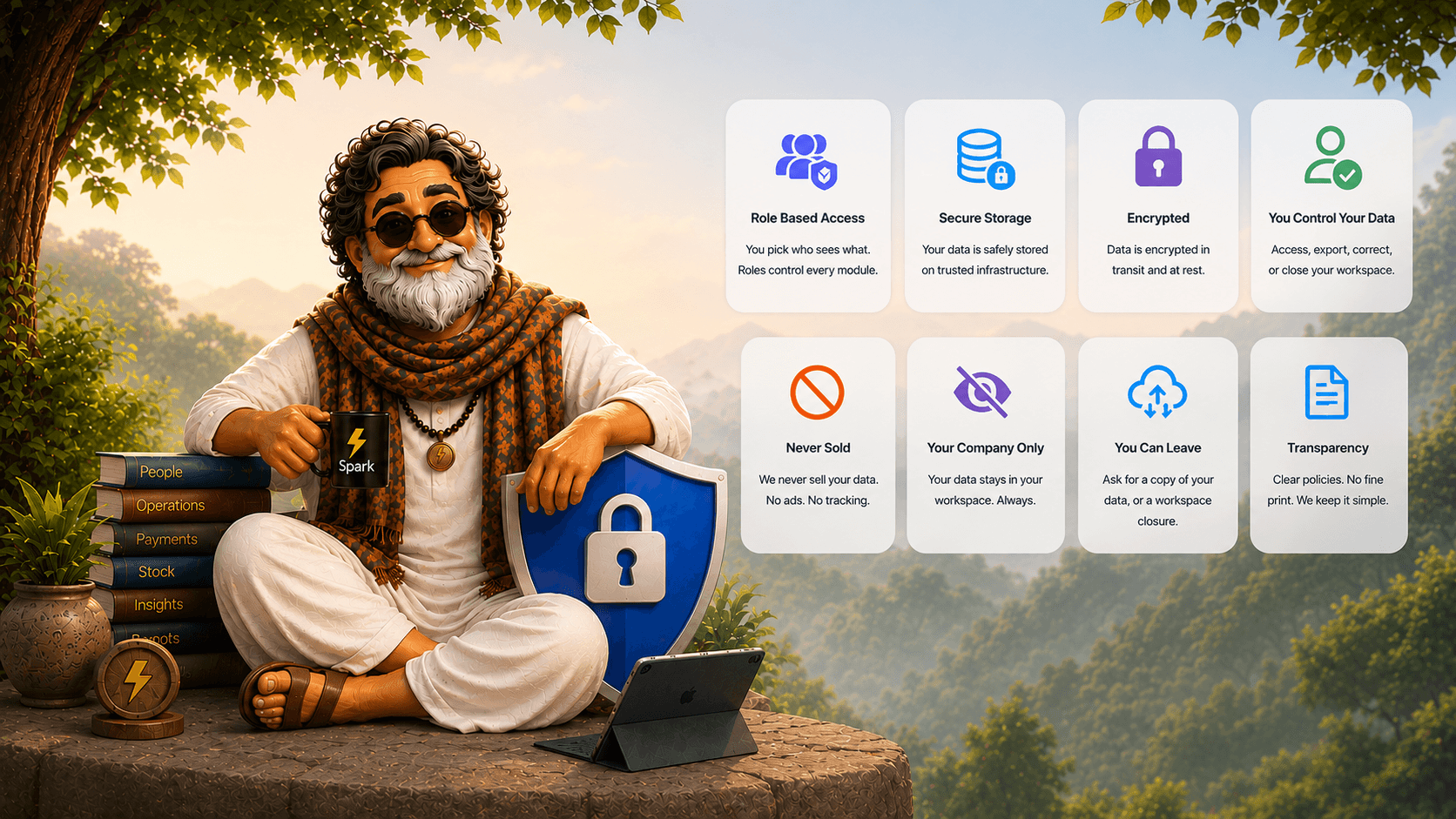
Your data stays yoursin every Spark product
One policy for the website, web dashboard, and Android app, covering every Spark solution and product.
What this policy covers
This Privacy Policy describes how 1xAI ("Spark", "we", "our", or "us") collects, uses, stores, and shares information. It applies to the public website, the Spark web dashboard, the Spark Android app, and every solution and product: Petrol Pumps, LPG Agencies, Mobile Distribution, Flash, Pulse, Lens, and Any Business.
When a company uses Spark, that company controls the records it enters about its business, staff, customers, and suppliers. Spark processes those records to provide the service the company asked for. By using Spark you accept this policy.
For company workspace data, the customer company is generally the data controller and 1xAI acts as its service provider or processor. 1xAI is the controller for information used to run our public website, manage accounts, provide support, protect the service, and meet our own legal obligations.
Workspaces and roles
Each customer company has its own workspace. Sales, stock, payments, staff, payroll, and documents belonging to one company are not visible to another company, and those operational records belong to the company that entered them.
Inside a company, access is role based. An attendant, salesman, or field worker sees only what their role allows. Owners and managers choose which modules are on and who can open profit, credit, and payroll.
1xAI does not browse dealer or agency data for marketing. Our team may open a company workspace only to keep Spark running, to fix something you asked us to look at, or where the law requires it.
What we collect
- Account and staff: name, phone, email, employee ID, designation, role, assigned locations, and employment dates. Passwords are stored hashed.
- Operations: sales, orders, payments, purchases, stock, expenses, and the photos or files a company uploads.
- Workforce: attendance, shifts, leave, payroll, and payslips when those modules are enabled.
- Technical: app version, device and OS details, language, timezone, and crash logs used to keep the service working.
- AI Assistant: prompts, responses, conversation history, and tool activity needed to answer questions and operate the service.
- Website visitors: the contact details you send us, and standard request logs used to run and protect the site.
By product
The modules a company turns on decide what Spark records. Each product below stays inside that company's workspace.
Nozzle and meter readings, rate changes, shift shortage or excess, tank dips, density, receipts, stock variation, purchase invoices, cash, UPI, card and bank settlements, credit ledgers, and the meter or receipt photos captured for verification. Role settings decide whether an attendant sees only their shift while a manager sees profit, credit, and payroll.
Domestic and commercial cylinder operations: orders, trips, vehicle papers, full and empty cylinder stock, delivery proof, and collections. Outlet staff see only the ledgers and tabs the office grants to their role.
IMEI and item stock, field orders, delivery photos, tax invoices, routes, and settlements. Location is used when a salesman checks in or proves a delivery, not as always-on tracking.
Attendance, shifts, leave, and payroll. Face detection runs on the device and a frame is sent for matching only once a real face is framed. Face templates are enrolled per company and used solely to match that company's own staff. GPS applies at the moment of check-in when a company turns on location rules. Statutory heads such as PF, ESIC, professional tax, LWF, and TDS compute only if enabled.
GPS check-ins, visit photos, routes, coverage, and field expenses for travelling teams, plus the same attendance and payroll records as Flash when those modules are on. Location is captured when a check-in or visit is recorded.
Point-in-time GPS, a captured photo, capture time, and map context are combined into shareable location proof. Only when Store Check-Ins is enabled does Lens add company and store context, calculate the nearest-store distance, and optionally create a check-in inside the configured radius. Lens does not continuously track location.
Only the modules a company turns on, such as sales, orders, payments, stock, staff, expenses, tasks, and alerts. Modules left off do not collect operational data.
AI and messaging
Spark uses AI so a company can verify its own operations, for example reading meter photos, invoices, receipts, and bank files that the company uploads. That processing exists to deliver the product to that company. We do not sell those images or ledgers, and we do not use them for advertising.
When you message the Spark AI Assistant, prompts, responses, selected tool activity, and relevant company records are processed to produce the requested answer. Recent web-chat history stays in that browser session and is sent with follow-up questions for context. WhatsApp Assistant messages are retained in Spark as conversation history so the Assistant can understand follow-up questions, prevent duplicate processing, and enforce usage limits.
Spark does not intentionally write prompt text, response text, tool arguments, or tool results to application logs. Operational AI logs may record metadata such as timestamps, message and response length, model, token use, tool names, timing, and error status. Contracted AI and infrastructure providers process the information needed to provide the response. Access remains subject to the user's company and role permissions.
AI responses are assistance, not final accounting, employment, safety, tax, or legal decisions. Company owners and authorized users remain responsible for reviewing outputs and making operational decisions.
WhatsApp alerts are optional. A company connects its own WhatsApp number in Spark; messages such as alerts, payslips, and introductions then leave from that number, not from 1xAI. Spark does not send WhatsApp until that number is configured. Push notifications can remind staff about check-in, leave, or daily summaries, and the company controls which alerts are on.
If a company connects Muse, another personal AI agent, or an external tool through Spark's MCP connector or API, data requested through that connection is also handled under the connected provider's privacy terms. Company administrators control the tokens and role scope granted to those services.
How we use data and our legal bases
- Provide the dashboard, app, and enabled modules
- Verify identity, location, and uploaded documents when those features are on
- Compute attendance, payroll, stock, and settlements
- Answer AI Assistant conversations and improve service reliability
- Send the alerts a company configured
- Keep the service secure, backed up, and working
- Respond to support requests
We do not sell personal or company operational data, use it for advertising, let one customer company browse another workspace, or track staff location outside a check-in or an enabled location feature.
Where privacy law requires a legal basis, we process information to perform our contract with the customer, pursue legitimate interests such as security and service improvement, comply with legal obligations, or act on consent where consent is required. Consent can be withdrawn for future processing where it is the applicable basis.
Storage, security, retention, and transfers
Spark runs on Amazon Web Services, with photos and documents in AWS S3. The app may cache limited data on the device for offline use. We protect data with HTTPS/TLS in transit, hashed passwords and authenticated sessions, role-based access inside each company, plus backups, monitoring, and AWS infrastructure controls.
- Company operational records are kept while the company uses Spark, plus a limited window to export or close the account
- WhatsApp AI Assistant conversation history is kept while the company uses the Assistant so follow-up questions, duplicate protection, and usage limits work
- Attendance, selfie, and location check-in records are kept for the employment period plus up to 3 years, or longer where labour law requires
- Technical logs are typically kept up to 90 days
- After a valid deletion request we remove data within 30 days, except where law requires retention
No transmission or storage system can be guaranteed completely secure. If we learn of a security incident affecting personal information, we investigate it and provide notices where applicable law requires.
Your rights and app permissions
Depending on your role and local law, you can access and correct your profile, ask your company admin to fix operational records they control, change device permissions, and request deletion of your personal data by emailing onexai.inc@gmail.com. Company owners can request a copy of their workspace data, or ask us to close the workspace, at the same address. We aim to respond within 3 to 5 business days.
We may need to verify your identity, company, role, or authority before completing a request. If Spark processes your information for an employer or customer company, we may direct the request to that company because it controls the workspace record.
- Location (when in use): to verify a check-in or delivery when GPS rules are enabled
- Camera: to capture live attendance selfies, meter and dip photos, invoices, and delivery proof
- Notifications: optional, for the alerts a company turned on
Attendance selfies are taken live in the app. Check-in does not need access to your photo library.
Children, changes, and contact
Spark is a workplace product and is not directed at children. Users must be at least 18, or the legal working age in their jurisdiction. We do not knowingly collect personal information from anyone under 18.
We may update this policy as Spark adds modules or as the law changes. The date at the top of this page changes when we do, and continued use after an update means you accept the revised policy.
Privacy questions, access requests, and deletion requests: onexai.inc@gmail.com, or WhatsApp +91 99644 45558.
© 2026 1xAI. All rights reserved. Version 3.1 · Last updated 26 September 2026
Privacy questions?
We can walk through who sees what in your company workspace.
Or message us on WhatsApp
Free to start · No payment required · Web + Android