Knows when agents work
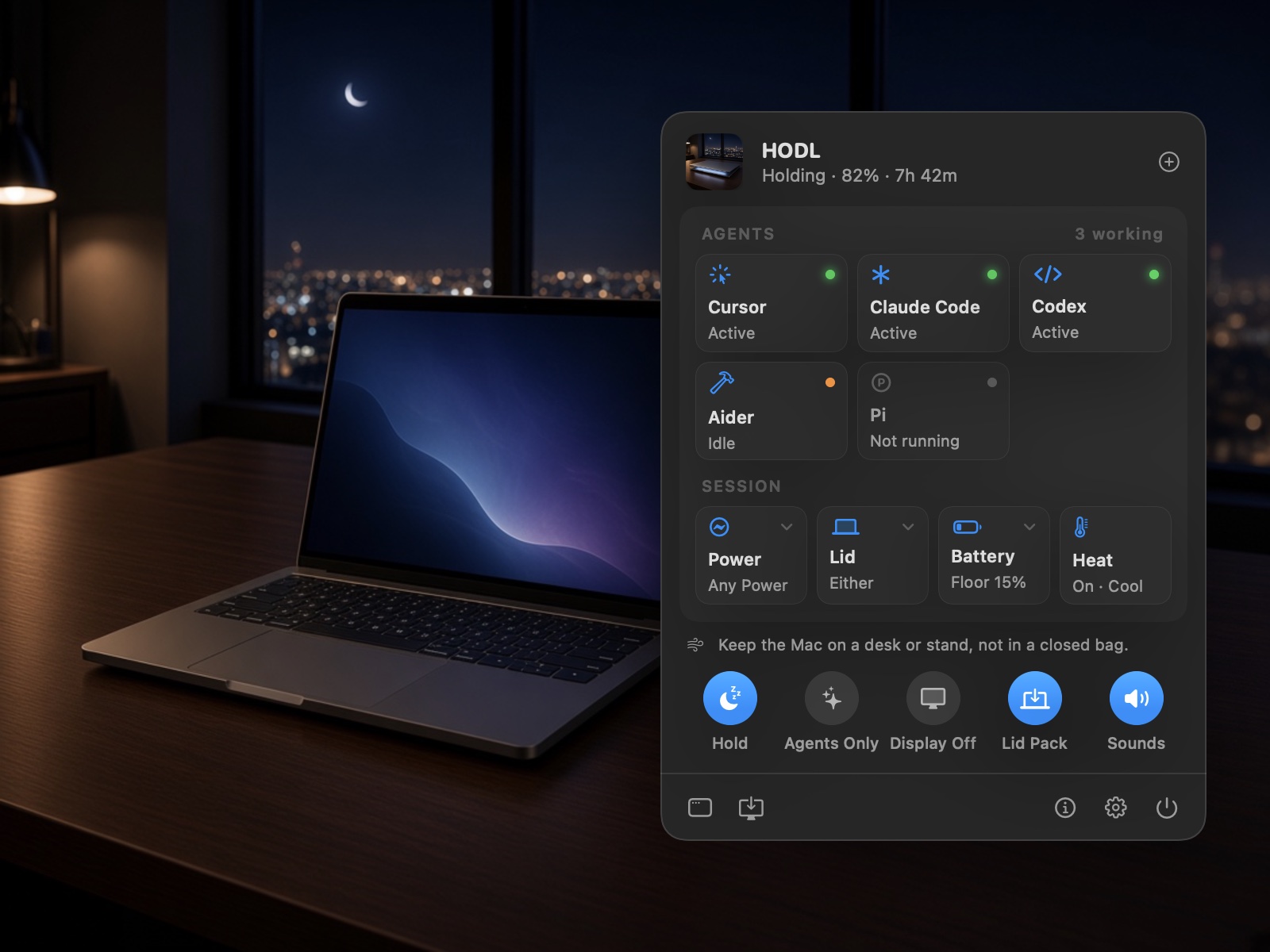
Sees your coding agents and, with one-click hooks, exactly when each session works. It can hold only while one does.
Free Mac app by 1xAI
HODL keeps your Mac awake so your AI agents keep working overnight, with the lid open or closed.
Open this page on your Mac to download.
Free · macOS 14 Sonoma or later · Apple silicon and Intel
The problem
You start a long agent run, close the lid, and go to bed. A few minutes later macOS sleeps, and the run stops halfway. In the morning you find a frozen terminal and a half-finished branch.
How it works
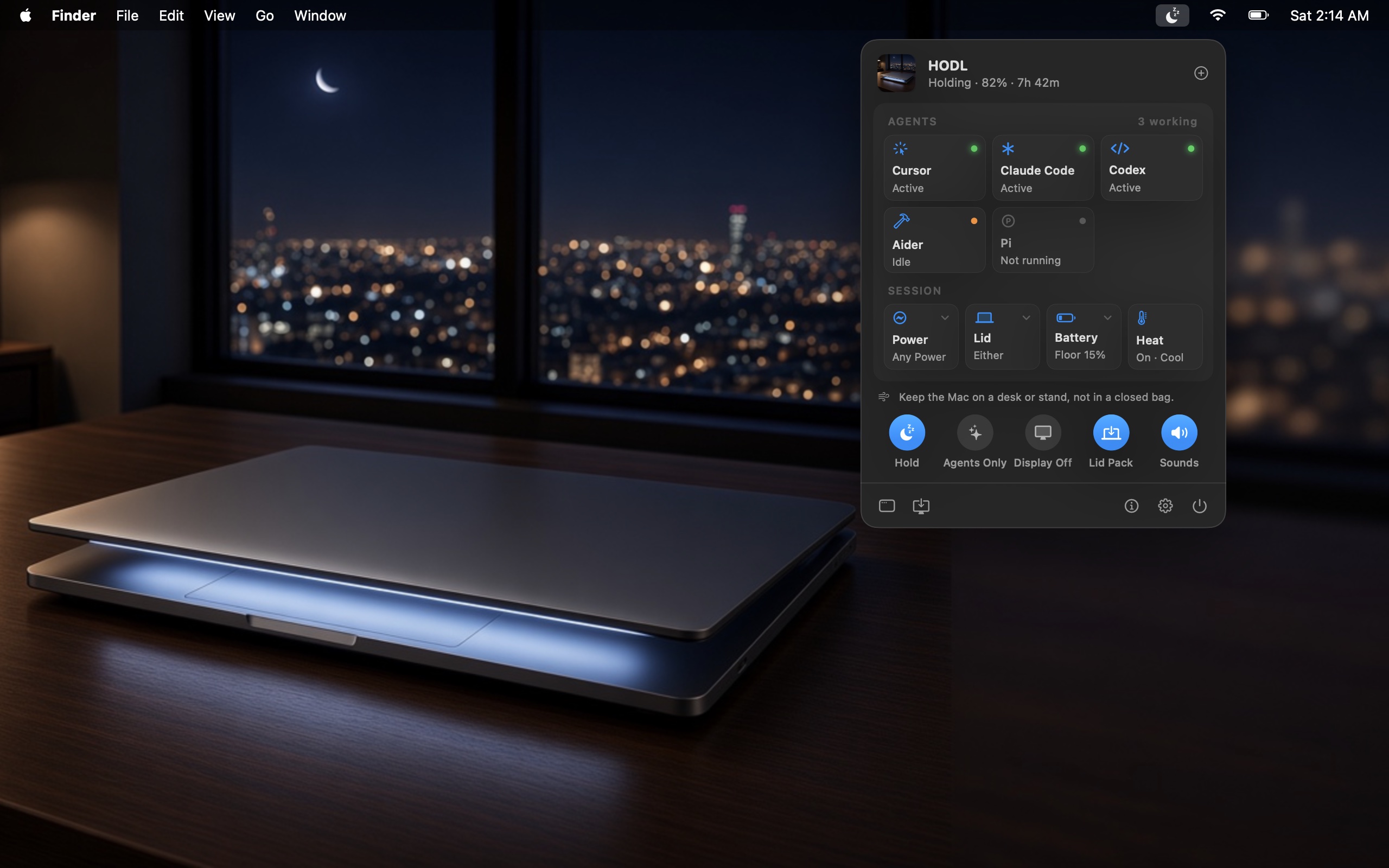
Click the moon in the menu bar, or press ⌥ ⌘ L. Hold overnight, for a set time, or until your agents finish.
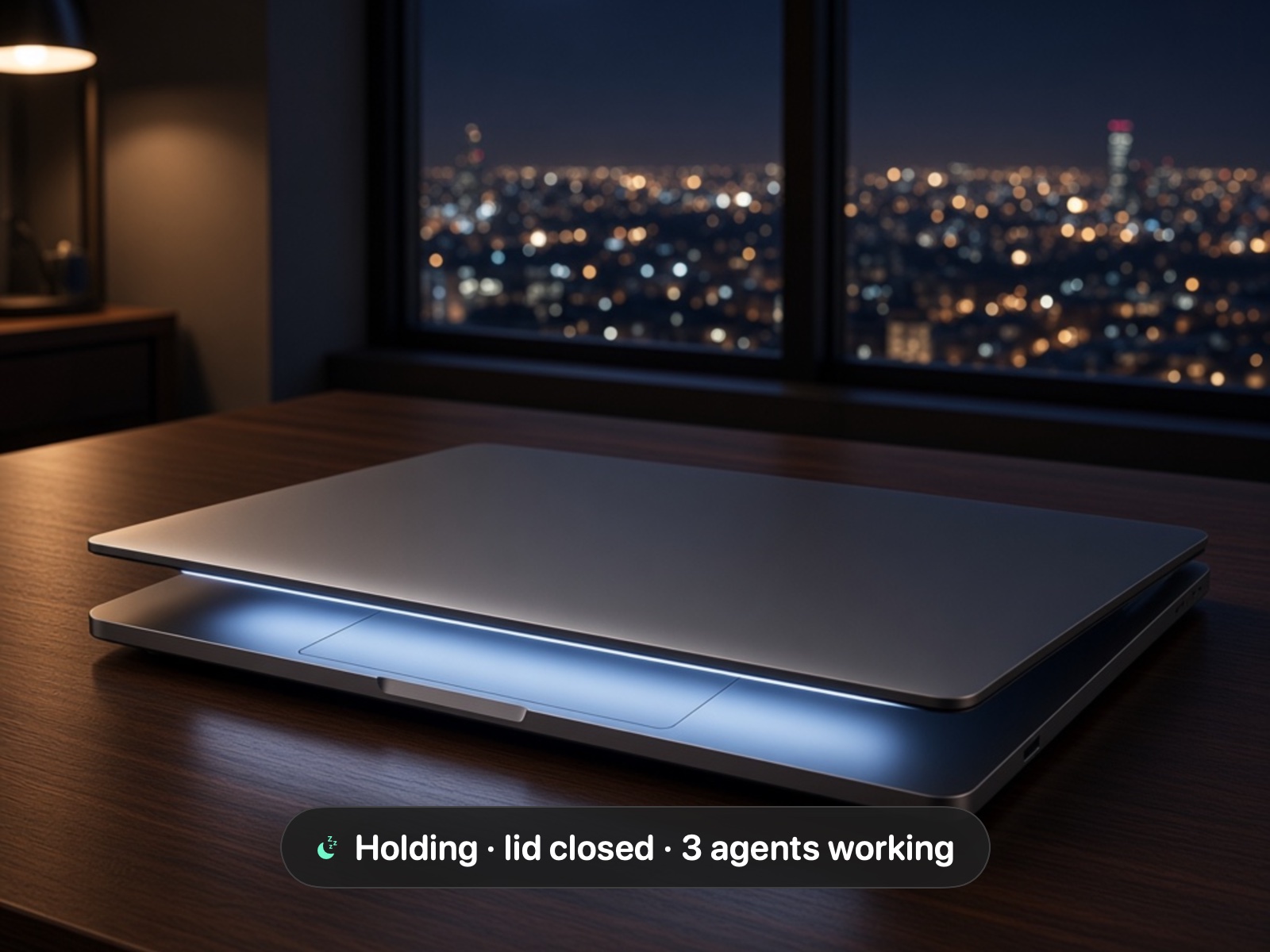
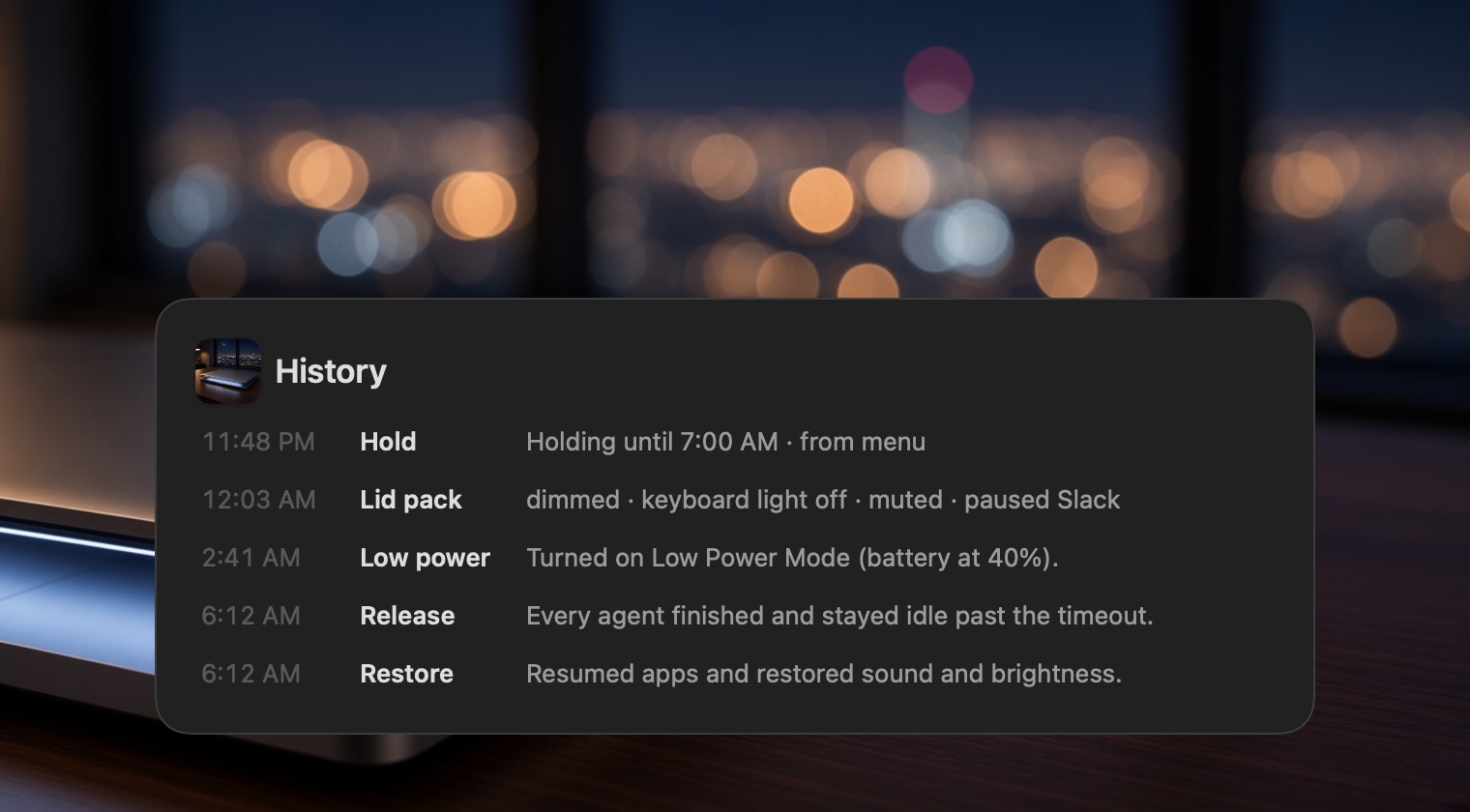
On AC or battery, the Mac stays awake with the lid closed. HODL can dim the screen, mute sound, and pause chat apps until you open it again.
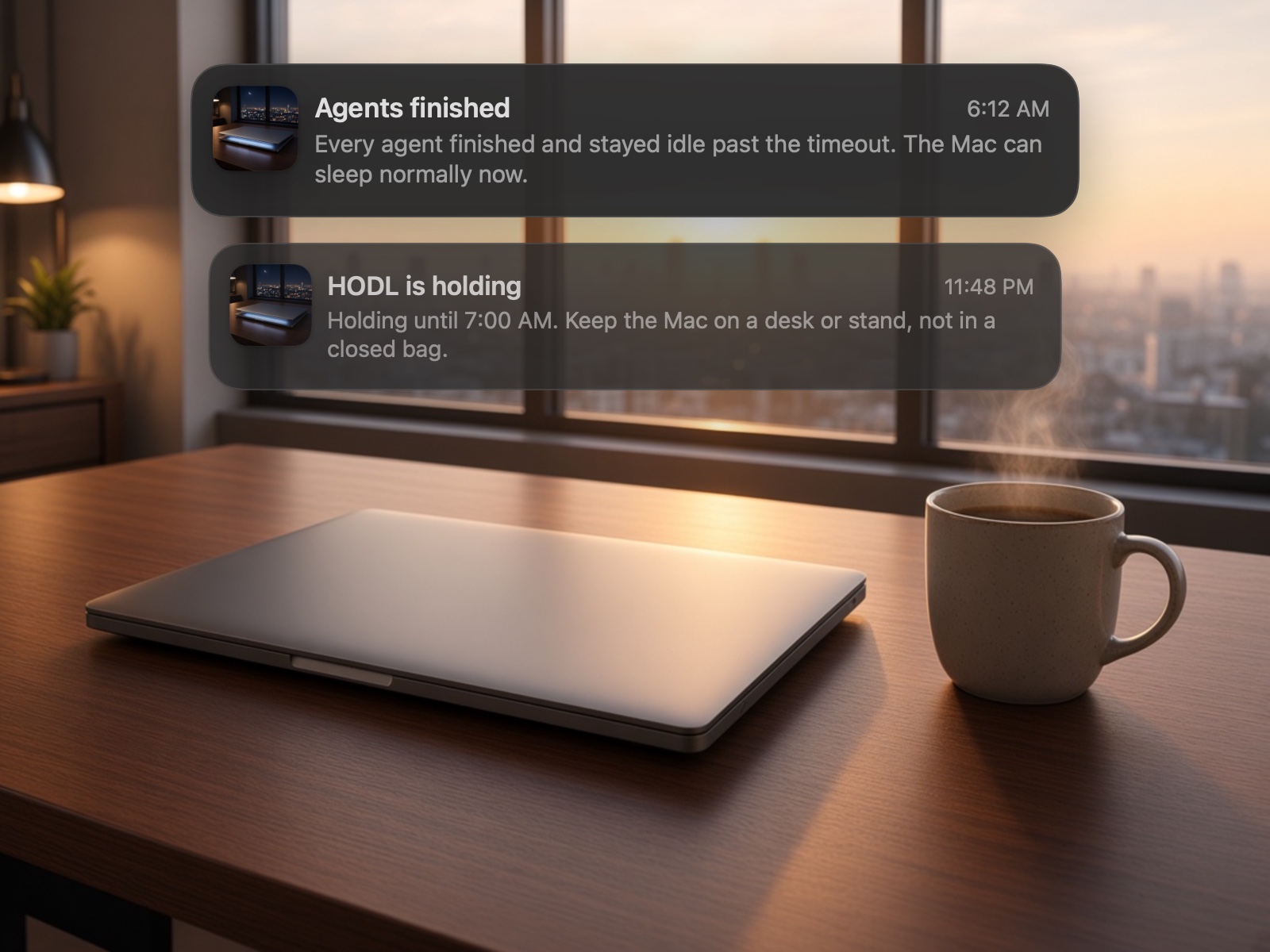
When your agents go quiet, HODL lets the Mac sleep and tells you why it let go.
Features
HODL lives in your menu bar and keeps the Mac awake only as long as your agents need it.
Sees your coding agents and, with one-click hooks, exactly when each session works. It can hold only while one does.
Hold with the lid open, closed, or either. Closed on battery uses an opt-in helper that HODL always switches back.
Lets go at 15% by default, and turns on Low Power Mode at 40% so the night lasts longer.
Eases off when macOS reports serious heat, and lets go at once if it becomes critical.
Overnight, timed, until 7 AM, or while an app runs, never past a 12-hour maximum unless you allow it.
hodl-run -- ./job.sh holds while a command runs. A URL scheme and a local API cover the rest.
Every change has an undo
Before HODL changes lid sleep, brightness, or sound, or pauses an app, it writes the change down. Release, quit, crash, or force quit: HODL, its next launch, or a small launchd backstop puts it all back. It always says why it let go.
The menu bar
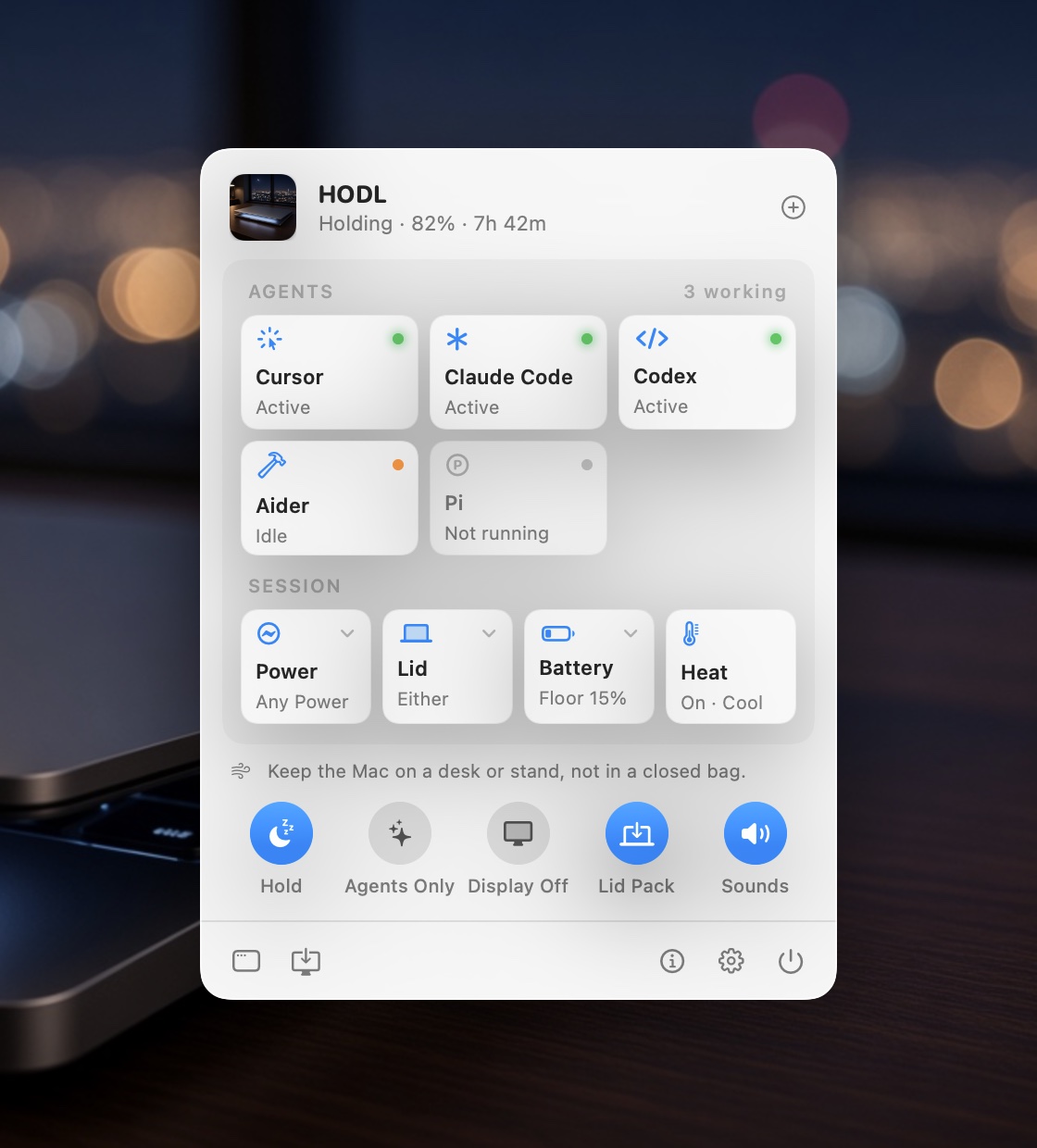
Click the moon for each agent’s state, the battery, the lid, and the heat. Round switches start a hold, hold only while agents work, turn the display off, use the lid pack, and turn sounds on or off.
Install
Download HODL.zip and open it.
Drag HODL.app into Applications.
Open it. The first time, macOS may say it can’t verify the developer. Go to System Settings › Privacy & Security and click Open Anyway. You only do this once.
Click the moon in the menu bar and choose Hold. Keep the Mac on a desk or stand, never in a bag.
Tip: For a closed lid on battery, install the closed-lid helper in Settings › Lid & Display. It lets HODL run four pmset commands and nothing else.
Privacy
HODL sees which agents are running, never what they do. Hooks send only a session ID to your own Mac.